Hugging Face Connector
Connect to Hugging Face Hub datasets. Access thousands of datasets for AI and machine learning projects.
Connect to Hugging Face Hub datasets. Access thousands of datasets for AI and machine learning projects.
Setup Instructions
1. Navigate to Data Integrations
Go to the Data Integrations tab in your flow.
2. Select Hugging Face Integration
Click Select an Integration, type Hugging Face in the search, and click Connect.
3. Create Hugging Face Access Token (Optional)
For public datasets, no token is required. For private datasets or gated content:
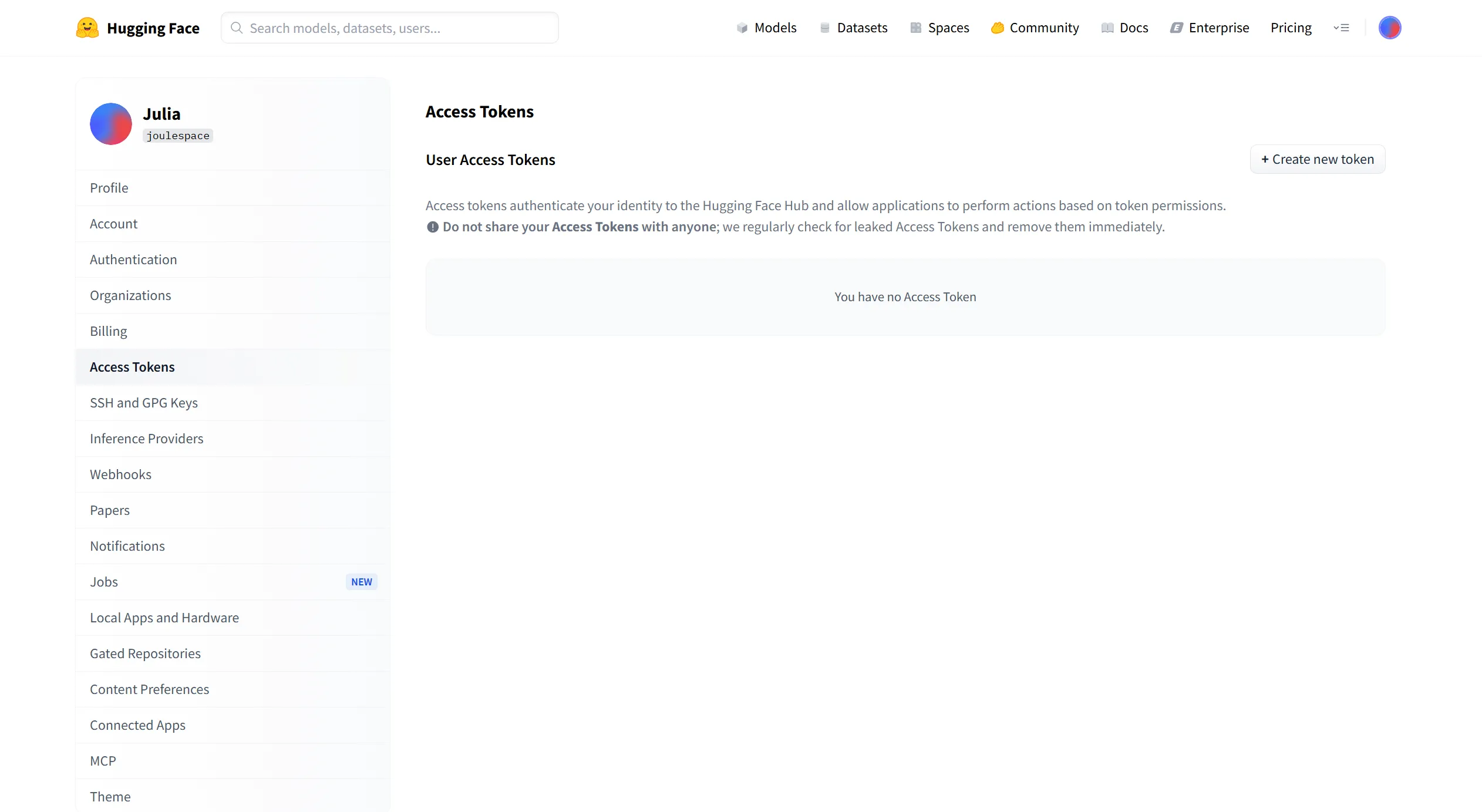
- Go to Hugging Face Settings
- Click New token
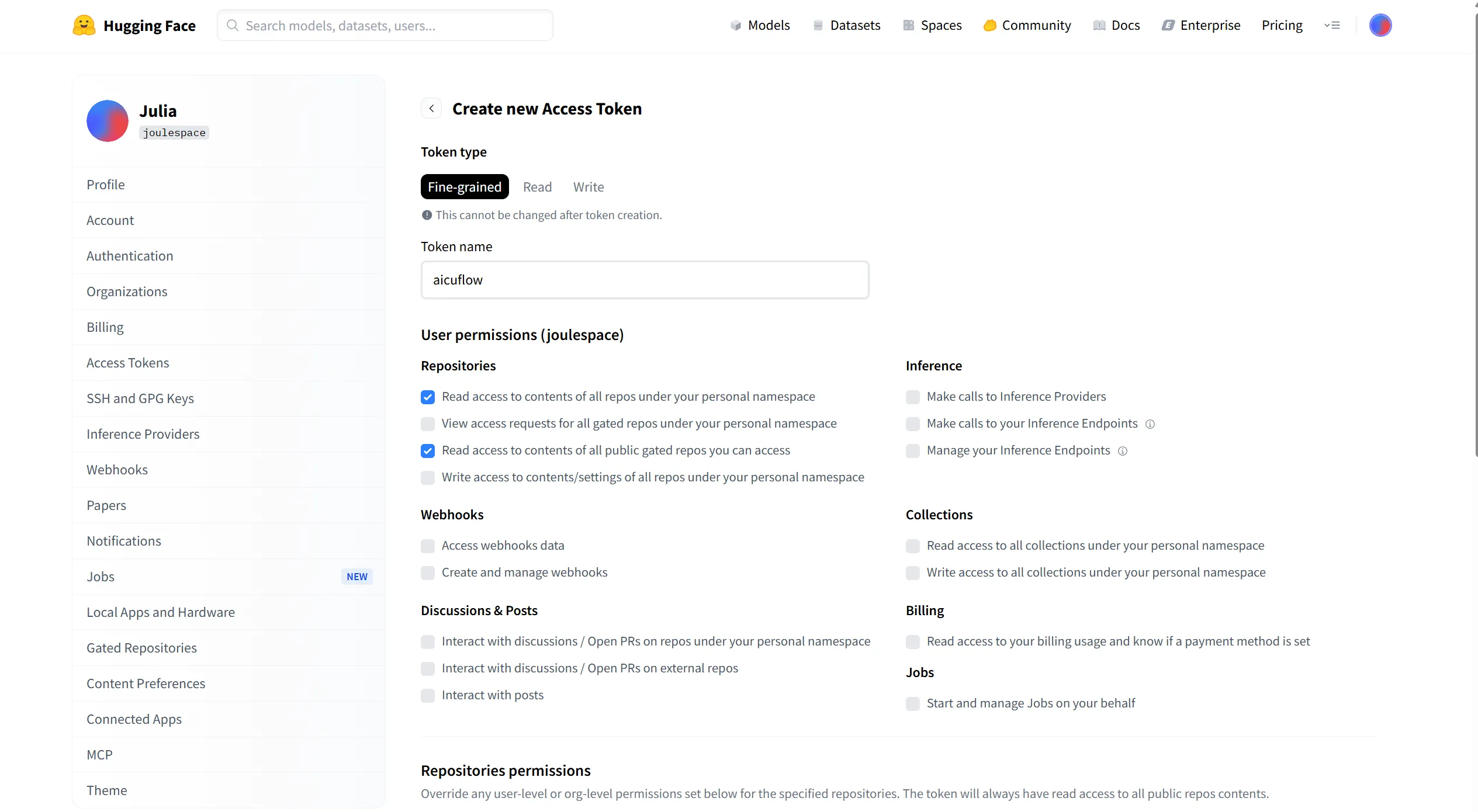
- Give your token a name (e.g., "AIcuFlow Connector")
- Select token type:
- Read: For downloading datasets only (recommended)
- Write: If you plan to upload data back
- Click Generate token
- Important: Copy the token immediately - you won't be able to see it again
4. Configure the Connector
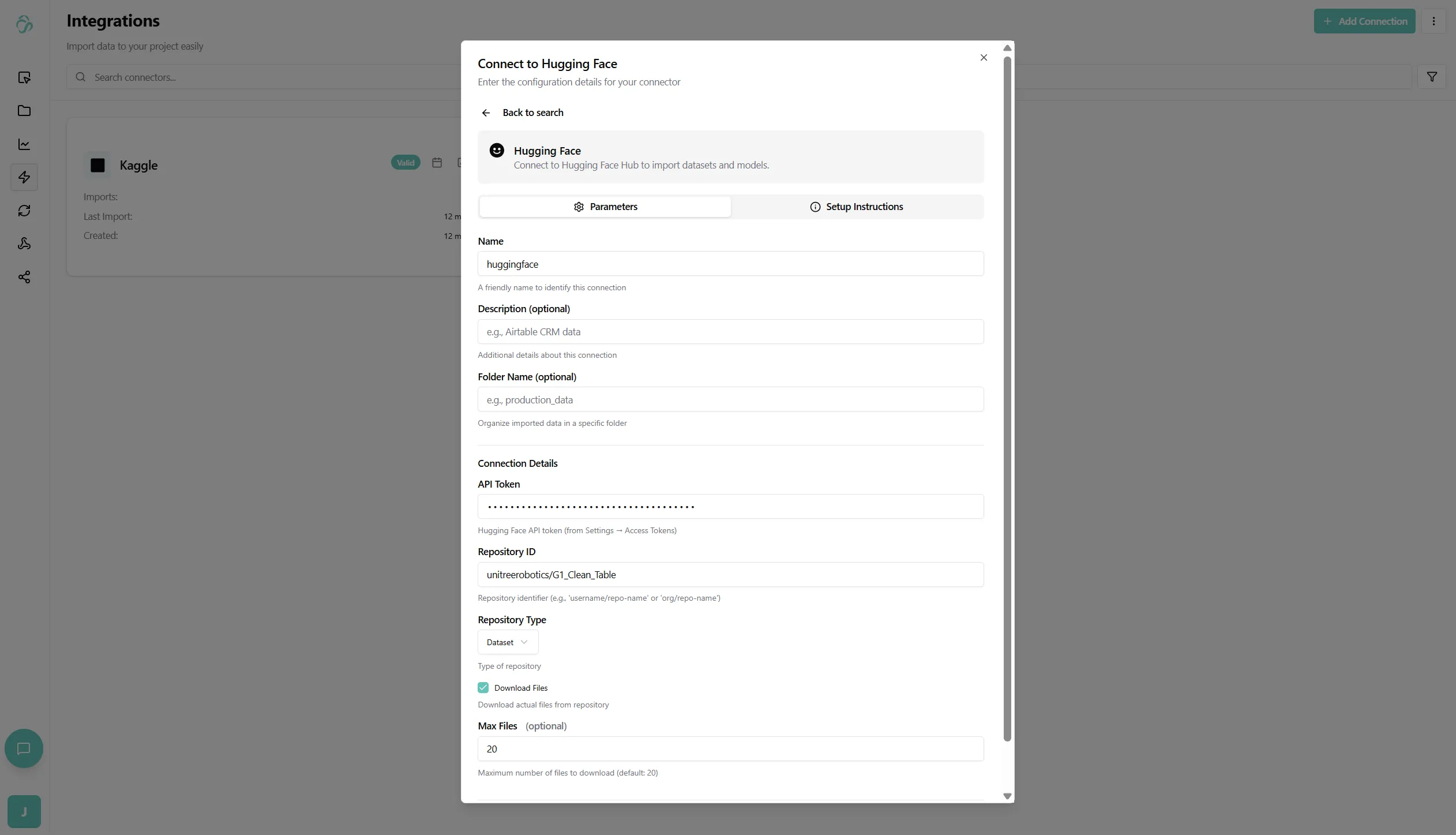
Back in the connector setup, fill in:
- Connector Name: Give your connector a descriptive name (e.g., "HuggingFace Datasets")
- Access Token (Optional): Paste your token (only required for private/gated datasets)
- Folder (Optional): Select a destination folder in the file manager
- If not specified, data will be stored in the root directory
5. Specify Dataset
Configure which dataset to download:
-
Dataset Name: The identifier of the dataset on Hugging Face Hub
- Format:
organization/dataset-nameor justdataset-name - Examples:
imdb- IMDb movie reviewssquad- Stanford Question Answering Datasetwikitext- Wikipedia text corpusglue- General Language Understanding Evaluation
- Format:
-
Dataset Subset (Optional): Some datasets have multiple subsets or configurations
- Example: For
gluedataset, you can specifymrpc,sst2, etc.
- Example: For
-
Split (Optional): Specify which split to download
- Common splits:
train,test,validation - Leave empty to download all splits
- Common splits:
You can find dataset information at: https://huggingface.co/datasets/{dataset-name}
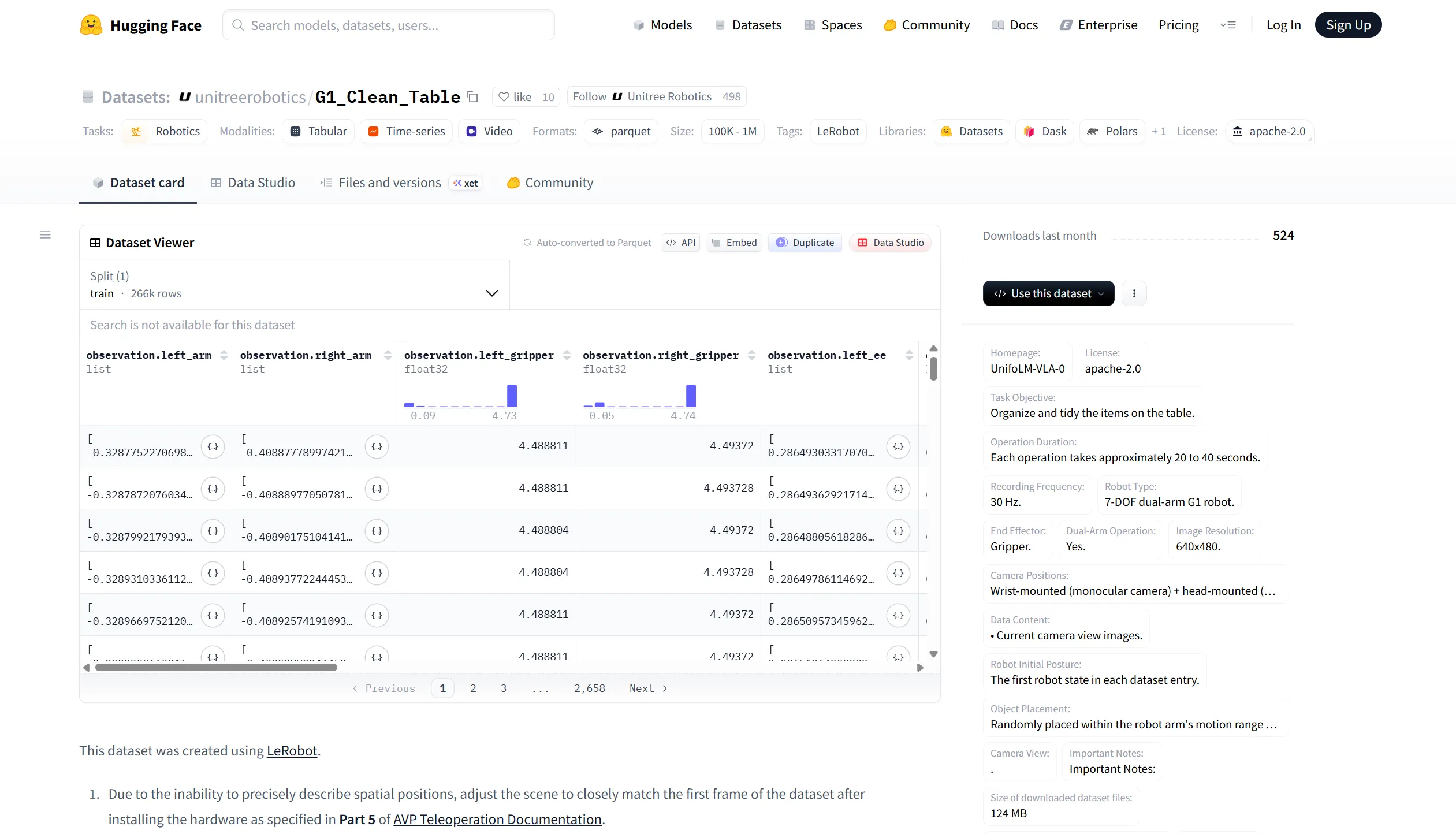
You can add the dataset id in the repository id section.
6. Configure Download Options
-
Download Format: Choose how to save the data
- Parquet: Efficient columnar format (recommended)
- CSV: Comma-separated values
- JSON: JavaScript Object Notation
- Arrow: Apache Arrow format
-
Cache: Enable caching to avoid re-downloading unchanged data
7. Create the Connection
After filling in all details, click Create Connection.
The system will:
- Authenticate with Hugging Face Hub (if token provided)
- Download the specified dataset
- Convert to your chosen format
- Begin the initial data synchronization
8. Monitor Sync Status
- Navigate to Data Synchronization to see the import progress
- Large datasets may take time to download and process
- Progress will be shown for each split being downloaded
9. Access Your Data
- Once the sync is complete, go to File Manager
- Navigate to the folder you specified (or root directory)
- You'll see the dataset files organized by splits (train, test, validation)
- Click on any file to preview the data
- The data is now ready to use in your AI pipelines and flows
What Gets Imported:
- Dataset files in your chosen format
- Metadata and dataset information
- All specified splits (train, test, validation)
- Dataset card and documentation (if available)
Best Practices:
- Check dataset licenses before using in production
- Use specific dataset versions/commits for reproducibility
- Start with small datasets to test your pipeline
- Cache datasets to avoid repeated downloads
- Keep access tokens secure and never share them
Popular Hugging Face Datasets:
imdb- Movie reviews sentiment analysissquad- Question answering datasetglue- Language understanding benchmarkconll2003- Named entity recognitionwmt14- Machine translation datasetcifar10- Image classification datasetcommon_voice- Multilingual speech dataset