Network Bridge Example
When using an Arduino board without wifi access, it seems impossible to stream sensor data to the internet. But our team member Sneha showed it's quite possible. Code below.
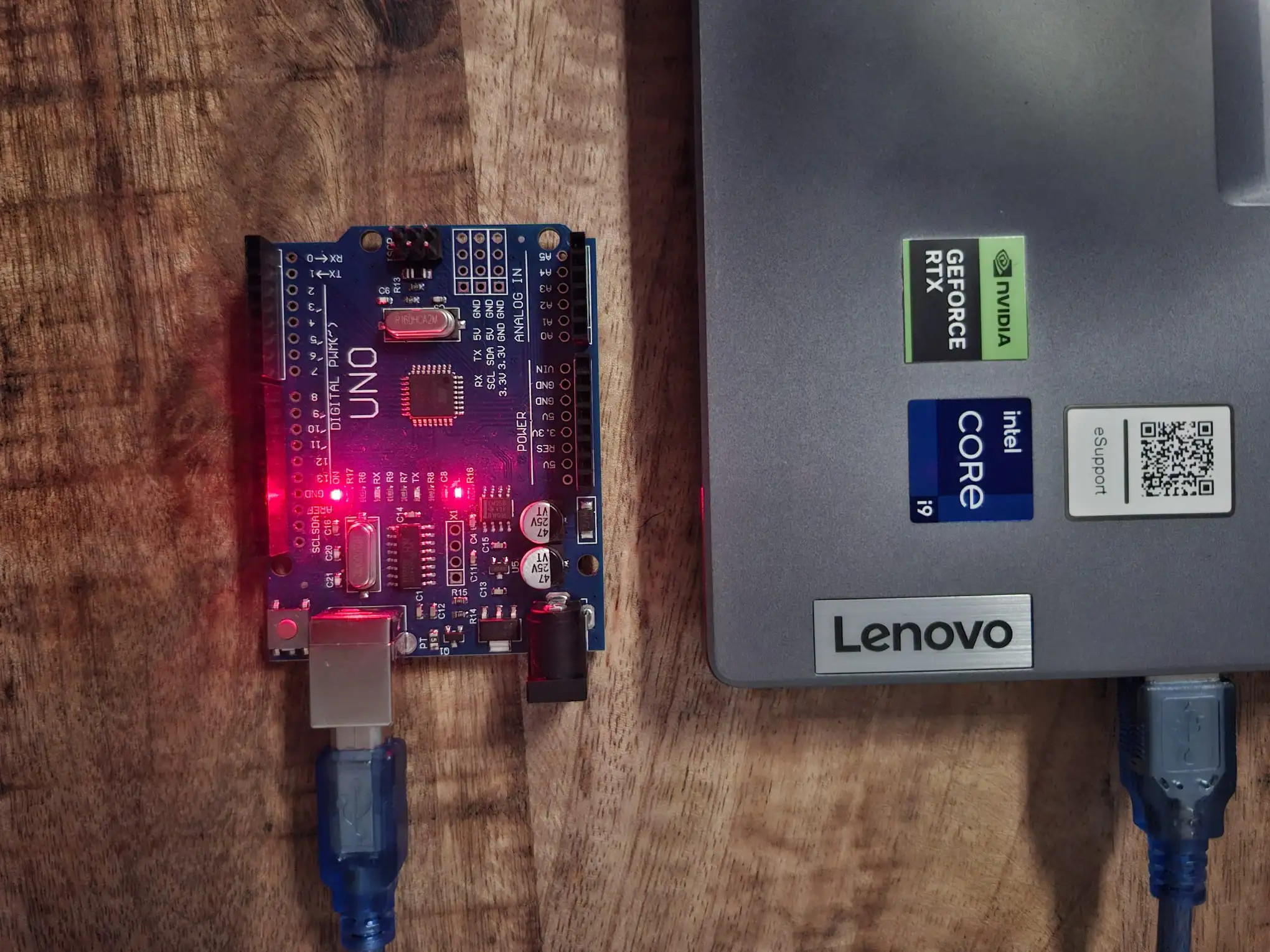
This is a simple tutorial written during the AICU GmbH Team Retreat Q1-2026.
If you want to set up the Aicuflow Arduino Library, visit this setup guide instead.
How does it work?
The Arduino usually has a UART / Serial port that in many cases is connected to a USB Serial Port.
You can stream (sensor) data though this port and upload it to the aicuflow cloud using the aicuflow python library.
pip install aicuflowThe end result: live (sensor) data that can be analyzed from the aicuflow flow dashboards and flow data manager. Cool stuff: you can gain insights from it, or even train AI models with the data.
The Code
Two parts: Arduino sketch & Python Bridge.
The following python code takes in values from your arduino and forwards them to your aicuflow. The serial port is auto-detected.
# forward values from your serial port to the cloud
import time, json, serial, serial.tools.list_ports, aicuflow

# connect to aicuflow (please configure)
ai = aicuflow.client(email="your-email", password="your-password")
flow = ai.ensure_flow_by_title("your-flow-name")
file = aicuflow.file.byname(ai, flow, "your-filename.arrow")

# connect to microcontroller (serial)
ser = serial.Serial(
    next(p.device for p in serial.tools.list_ports.comports()
         if any(k in p.device.lower() for k in ("usb", "acm", "com"))),
    115200, timeout=1 # baud rate (115200|9600) must match arduino
)
batch = []
try:
    while True:
        if ser.in_waiting and len(pkt:=json.loads(ser.readline())):
            batch.append(pkt)
            if len(batch) == 64:
              file.append(batch)
              batch.clear()
except KeyboardInterrupt:
    pass
finally:
    batch and file.append(batch)
    ser.close()
A compatible, very simple .ino sketch for your Arduino:
/* Example data sender */
unsigned long counter = 0;

void setup() {
  Serial.begin(115200);   // must match python
  while (!Serial) {}
}

void loop() {
  int a0 = analogRead(A0);  // changing signal

  Serial.print("{\"d\":");
  Serial.print(counter++);
  Serial.print(",\"a0\":");
  Serial.print(a0);
  Serial.println("}");

  delay(1000); // once per second
}
Try it!
In case you want a simple, pure serial reader without cloud connection:
# print values from your serial port
import json, serial, serial.tools.list_ports

ser = serial.Serial(
    next(p.device for p in serial.tools.list_ports.comports()
         if any(k in p.device.lower() for k in ("usb","acm","com"))),
    115200, timeout=1
)

while True:
    if ser.in_waiting:
        try:
            pkt = json.loads(ser.readline())
        except json.JSONDecodeError:
            pass
Ideas
You could expand on the code above, to make bridge-streaming even better.
You could...
- connect it to an ESP32 to bridge
- connect it to a Raspberry Pi to bridge
- stream a binary format for efficiency
- dynamically change batch size based on band width
- experiment with different Serial baud rates
- experiment with different sensor freqencies / timings
Check out our AI Sensor Predictions with Arduino Guide or learn to set up the library.
AI Predictions with Arduino
Learn how to integrate Arduino/ESP32 with Aicuflow to train AI models based on real world sensor data. This is a basic example you can follow. The use case be expanded to collect sensor data from large amounts of devices with peripheral sensor / actor devices like SPS.
Third Party Frontend Licenses
We use the following libraries, and disclose them to our customers to confirm